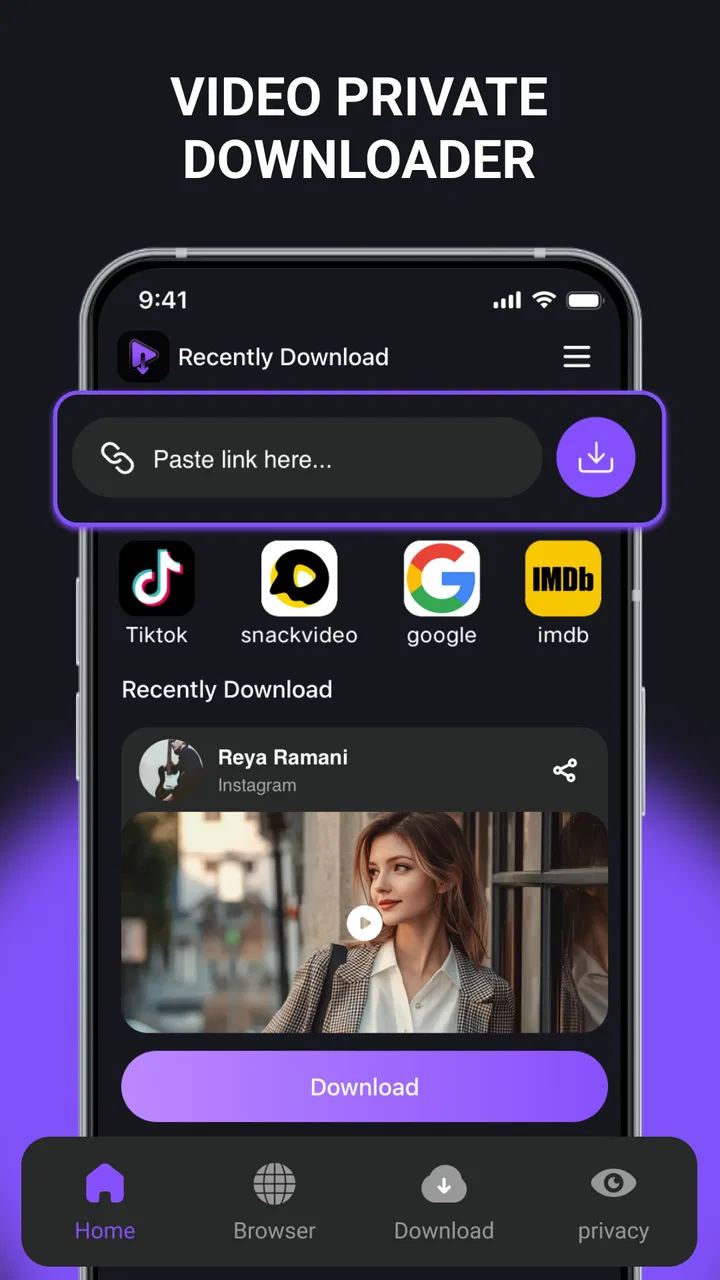
Video Private Downloader
- 4.2
- Rating
- 100.00K
- Installs
- Free
- Price

 Analysis by App-foxy
Video Private Downloader is the kind of app I would open when I want a straightforward way to save a video for later instead of repeatedly streaming it. It belongs to the video players and editors category, is free to use, and is aimed at an Everyone audience. My first impression is that its appeal is less about editing or social features and more about keeping the downloading task focused and easy to understand.
The app is published by O.A.DIAZ PROPERTIES LLC and has reached over one hundred thousand installs. Its average score sits at 4.2 from roughly one hundred sixty ratings, with around two dozen written reviews. Those numbers suggest that it has found a useful audience, although I would not treat them as proof that every device or every video source will behave identically.
My main advice is to approach Video Private Downloader as a practical saving tool, not as a complete media-management suite. It can make sense for someone who wants a simple route from finding a video to keeping a copy available on the phone. It is less suitable if your priority is advanced editing, automatic organization, cloud synchronization, or a large set of playback controls.
You May Also Like

 Pandora - Music & Podcasts
Pandora’s Music Is Easy to Start, but Harder to Recover
Pandora’s strength is its low-effort path from a seed to a station. Its weak spot is how much confidence it asks you to place in connection, setup, and quiet recovery.

 AccuWeather: Weather Radar
AccuWeather Review: A Quick, Clear Forecast for Everyday Decisions
For everyday plans, the best forecast is the one you can understand quickly. AccuWeather makes rain timing, radar, and local conditions easy to act on, with a few trade-offs.

 Hill Climb Racing
Why Hill Climb Racing Still Turns Crashes Into One More Run
A tiny car, a bumpy hill and one more upgrade: Hill Climb Racing keeps resurfacing because its simple chaos makes every near-miss feel personal.

 AliExpress - Shopping App
AliExpress Makes Global Shopping Feel Personal, but Shoppers Bear the Risk
AliExpress turns a global marketplace into a pocket-sized discovery engine. Its reach is useful, its shopping loop compelling, and its trade-offs easy to miss.

 Lords Mobile: Kingdom Wars
Lords Mobile Is a Kingdom-Building Routine, Not a Quick Match
A case-by-case verdict on the building, battles, device demands, and social commitments that make Lords Mobile rewarding for some players and exhausting for others.

 PDF Scanner app - TapScanner
TapScanner Makes Paperwork Easier to Capture, Check, and Share
TapScanner makes scanning with a phone feel less like a rescue operation and more like a dependable step in getting work done. Its capture tools are useful, though not flawless.
More From Our News Desk
View All News


What to expect before you begin
The name sets a clear expectation: this is a downloader with a privacy-oriented purpose. In everyday use, that means the important question is not whether it replaces a full video editor, but whether it gives you a manageable way to save content and return to it when an internet connection is inconvenient. I found that framing helpful because it keeps the app’s role clear from the start.
It is also worth separating private storage from ownership. Saving a video on your device does not automatically give you permission to redistribute it, remove someone else’s rights, or use it commercially. I would use the app for material I am allowed to keep, such as my own clips or content whose creator permits downloading. That small habit prevents a useful tool from becoming a source of avoidable copyright trouble.
The current release is version 1.0.7, and the app runs on Android 8.0 or newer. That makes it accessible to a broad range of Android phones, including devices that are not recent flagship models. Still, compatibility with the operating system is only one part of the experience. Available storage, the source of the video, and the way that source handles downloads can all affect the result.
I would also keep expectations realistic about the word “private.” It is a helpful description of the intended use, but I would still use normal phone-security habits: protect the device with a screen lock, avoid saving sensitive material in a shared gallery, and review where downloaded files appear. A downloader can simplify access to a file, but it cannot replace basic control over the phone itself.
Who will get the most value
This app is a good match for a first-time downloader who wants a focused tool rather than a complicated workflow. It may also help someone preparing videos for a trip, saving reference material for study, or keeping personal clips available when mobile data is limited. A person who regularly watches the same short videos can benefit from having a local copy instead of starting the stream again each time.
I would be more cautious about recommending it to a professional editor. The app’s identity is centered on downloading, while serious editing usually requires trimming, layered audio, color work, captions, format controls, and project management. If those are the tasks you need, a dedicated editor will be a better second step after obtaining the material legally.
Getting through the first setup
After installing Video Private Downloader, I would begin with a simple test rather than immediately trying to save a long or important video. A short, non-sensitive clip is useful because it lets you learn the app’s flow without wasting storage or time. The goal is to understand where you enter or select the video source, how the download begins, and where the finished file can be found.
Before starting, I recommend checking the phone’s available storage. Video files can become large quickly, and a failed download caused by a nearly full device can look like an app problem when the real issue is space. I also prefer to decide in advance whether I want the file mainly for viewing, sharing with permitted recipients, or later editing. That choice affects how carefully I need to track the saved file.
Use the app with a stable connection for the first attempt. A reliable Wi-Fi network is usually the least stressful option, especially if the video is longer than a quick clip. If the process pauses, resist the temptation to repeat the same action several times. First check whether the original attempt is still progressing, because duplicate taps can leave you unsure which copy is complete.
For privacy, I would avoid downloading personal material while signed into an account or using a device that other people regularly access unless I understand exactly where the file will be stored. A private intention is not the same thing as invisible storage. Once the download succeeds, I would open the phone’s file or gallery area and confirm that the result is where I expect it to be.
One useful first-day routine is to create a small naming habit. If the app or the phone gives you a chance to rename a saved file, use a meaningful title rather than leaving several generic filenames together. If renaming is handled elsewhere, do it immediately after the download. This is a minor step, but it prevents the common problem of having a collection of videos that cannot be identified without opening each one.
Making the first successful download
For a reassuring first success, choose a short video that you are permitted to save. Open the source you intend to use, bring its address or share option into the downloader’s workflow, and follow the on-screen action that starts the save. The exact route can vary by source and device, so I would pay attention to what appears on the screen rather than assuming every service behaves the same way.
When the process finishes, do not judge success only by the disappearance of a progress indicator. Open the saved video and watch enough of it to confirm that it plays correctly. Check the beginning, skip forward if the player allows it, and listen for sound. This quick verification catches incomplete files early and gives you confidence that the location and playback method are working.
If the video does not appear immediately in the gallery, I would not assume it has vanished. Some downloaded files are easier to find through a file browser or through the app’s own list than through a photo application. Look for a downloads area or a recently created file, then note the location for future use. Knowing this path is one of the most valuable things to learn during the first attempt.
A realistic example would be preparing for a train journey. I might save a permitted tutorial or a personal recording at home, play it once before leaving, and then keep it available during the trip. The important workflow is not simply pressing download; it is downloading early, confirming playback, and leaving enough free storage for anything else I may need.
Another practical use is collecting a few short reference clips for a project. I would save only the material I have permission to use, label each file immediately, and keep the originals separate from edited exports. This avoids confusing a downloaded source with a finished project and makes it easier to remove files later when they are no longer needed.
Where first-time users can get confused
The most common misunderstanding with any downloader is expecting it to work identically with every video service. A source may require an account, restrict saving, change its sharing behavior, or present a format the app cannot handle smoothly. When that happens, the problem is not necessarily a broken installation. The source itself may be limiting what an outside tool can do.
I would also avoid assuming that every visible video is a downloadable file. Some pages contain streams, embedded players, advertisements, or several media elements at once. A link that opens a webpage is not always the same as a direct video file. If the result is unexpected, return to the source and use its normal share or copy option rather than guessing at a complicated address.
Another point of friction is file format. A download may complete but still behave differently in the gallery, a messaging app, or a separate editor. If playback works in one place but not another, I would first test the file with a different compatible player before repeating the download. Repeating the same attempt can create duplicates without solving a compatibility issue.
Storage management matters more than many new users expect. Keeping several large videos may quietly consume space, especially when the phone also stores camera recordings and application caches. I suggest reviewing saved files after a week or two and deleting anything that was downloaded only for a single occasion. A private downloader is most useful when it remains organized rather than becoming an unlabelled archive.
There is also a difference between downloading and editing. If you want to cut out a section, add subtitles, change orientation, or combine clips, you may need another app after the download. That is not a weakness if your goal is saving, but it is an important trade-off. People who want one application to handle discovery, downloading, editing, and publishing may find the experience too narrow.
How it compares with the usual alternatives
The usual alternative is simply streaming from the original service. Streaming is convenient and avoids filling the phone, but it depends on a connection and may use mobile data each time you replay the same video. Video Private Downloader becomes more attractive when offline access, repeated viewing, or personal file control matters more than keeping everything in the original service.
Another alternative is a browser-based downloader. A browser can be convenient for occasional use, but it may leave you moving between tabs, copied addresses, pop-ups, and a separate file location. A dedicated app offers a more focused place for the task. The trade-off is that a browser may handle some websites more flexibly, while an app may feel simpler only when the source fits its workflow.
Cloud services offer a different kind of convenience. They make files available across devices and can reduce the pressure on local storage, but they depend on accounts, synchronization, and an internet connection when the file is not already cached. This downloader is better for a local-first habit on one Android device; cloud storage is better when access from several devices is the priority.
Screen recording is another workaround, but I would not choose it as the normal method for saving a video. It can capture what is visible, yet it may include interface elements, notifications, or uneven audio, and it often produces a less tidy result. A downloader is preferable when a legitimate source provides a usable file route. Recording makes more sense only for material that cannot otherwise be saved and that you are allowed to capture.
Compared with a full video editor, the difference is even clearer. An editor gives you creative control but adds menus, timelines, export choices, and a learning curve. Video Private Downloader is the better starting point when the immediate job is to obtain a local copy. If your real goal is producing a polished video, treat this app as one possible first stage rather than the whole production environment.
Small habits that improve the experience
My first tip is to test before committing. Download a short permitted clip, verify both picture and sound, and learn the file location. This is more useful than reading a long list of theoretical capabilities because it exposes the exact behavior of your phone and your preferred source.
My second tip is to keep a deliberate separation between temporary and important files. Temporary clips can be deleted after viewing, while personal recordings or project sources should be moved or labelled clearly. This simple distinction reduces accidental deletion and prevents the app from turning into an unmanageable storage pile.
My third tip is to plan around connection quality. Start larger downloads when the phone is stable and unlikely to switch between networks. If you are preparing for travel, complete the process well before departure and test playback in a place where you still have internet access. That way, a failed or incomplete file can be replaced before it matters.
My fourth tip is to treat sharing as a separate decision. A video saved for private viewing should not automatically be forwarded to friends or uploaded elsewhere. Check the creator’s terms and the source’s rules before distributing it. This is especially important when the app makes saving feel quick and effortless.
Finally, keep the app updated when a newer version is offered, but judge each update by how it affects your own routine. The current version is 1.0.7, and the app is still a focused tool rather than a mature all-in-one media platform. I would keep a backup of genuinely important personal files instead of relying on any single app to preserve them forever.
My recommendation after using it
I see Video Private Downloader as a useful, uncomplicated choice for Android users who want local video access and are comfortable managing the resulting files themselves. Its free price removes the barrier to trying it, and the Everyone age rating makes it approachable for a broad audience. The strongest experience comes from using it with clear expectations: choose permitted content, test a small download, verify playback, and keep storage organized.
I would skip it if you mainly need advanced editing, cross-device synchronization, automatic media cataloguing, or guaranteed compatibility with every online source. In those cases, a dedicated editor, cloud service, or the official offline feature of the original platform may be a better fit. A different option can also be preferable when you need a formal workflow for work or school and cannot afford to troubleshoot source-by-source behavior.
For a first-time user, though, the path is reassuringly simple: install it on a compatible Android phone, begin with a short legal download, confirm that the file plays, and then build a tidy routine around it. I would recommend Video Private Downloader to someone who values offline access more than a long list of extras. It does not need to be everything; its value is in making one specific job easier while leaving you in control of what you save.
FAQs for Video Private Downloader
01What is Video Private Downloader and how does it work?
Video Private Downloader is an app designed to help you download videos from various online platforms directly to your device. It works by allowing you to paste the URL of the video you want to download, and then it fetches the content for offline viewing. The app supports multiple formats and resolutions, making it versatile for different needs.
02Is Video Private Downloader safe to use?
Yes, Video Private Downloader is generally safe to use as long as you download it from a reputable source like the Google Play Store or Apple App Store. Ensure you have a reliable antivirus program on your device to safeguard against any potential threats. Always check user reviews and ratings for additional assurance.
03Can I download videos from any platform with Video Private Downloader?
While Video Private Downloader supports many popular video-sharing platforms, it may not work with every site due to copyright restrictions or platform-specific limitations. It's important to respect the terms of service of each platform and ensure that you have the right to download the content you are interested in.
04Does Video Private Downloader require an internet connection?
Yes, an internet connection is required to download the videos initially. Once the videos are downloaded, you can watch them offline without needing an internet connection. This is particularly useful for saving data or accessing content while traveling without internet access.
05Are there any costs associated with using Video Private Downloader?
Video Private Downloader is typically free to download and use; however, it may offer in-app purchases or a premium version with additional features. Be sure to check the details on the app’s store page to understand any potential costs. Some features or ad removals might require a one-time purchase or subscription.
Pros
- Fast download speeds enhance user experience.
- Supports various video formats seamlessly.
- User-friendly interface for easy navigation.
- Allows background downloading for multitasking.
- Secure with privacy-focused features.
Cons
- Contains ads that may disrupt usage.
- Limited features in the free version.
- Requires permissions that some may find intrusive.
- Occasional bugs reported during updates.
- No built-in video player for previews.

Video Private Downloader
Gallery